SQS Queue as Lambda Trigger in AWS CloudFormation
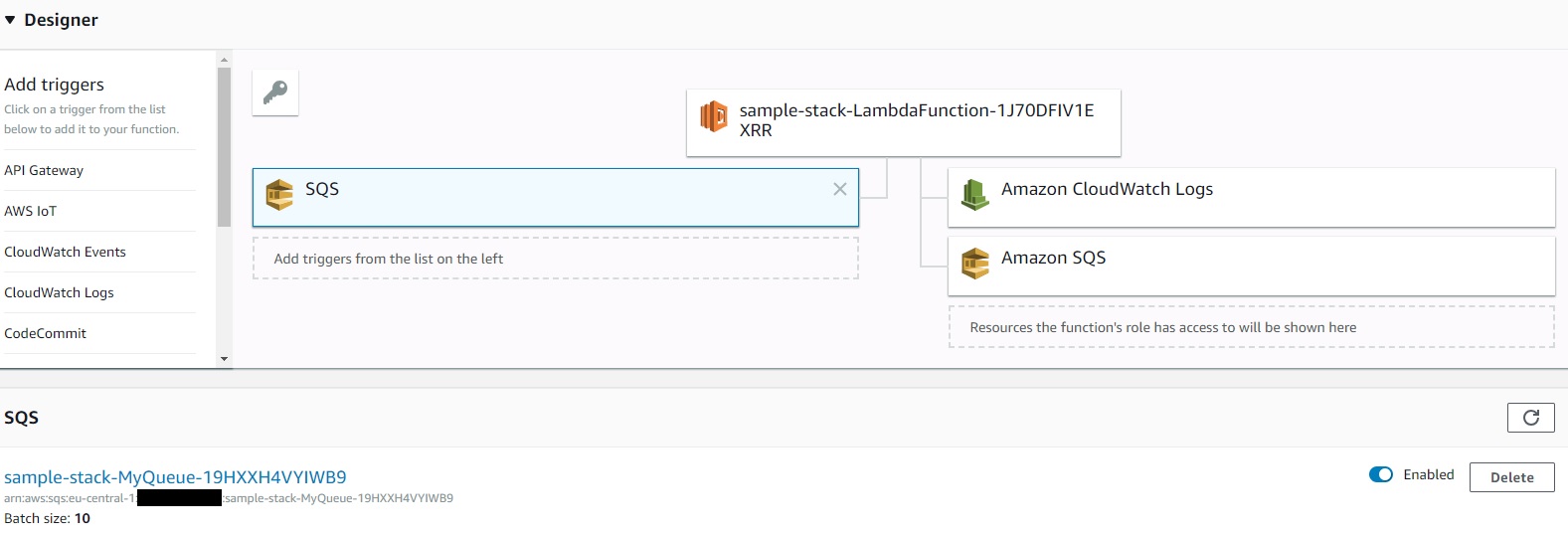
Recently AWS released that the Amazon Simple Queue Service (SQS) is now available as a supported event source for AWS Lambda Functions. You can read the related blog post here: https://aws.amazon.com/blogs/aws/aws-lambda-adds-amazon-simple-queue-service-to-supported-event-sources/
Since then I have seen many instructions explaining how to integrate this trigger via AWS Serverless Application Model (AWS SAM). Using this approach I noticed that when rolling out the SAM template via AWS CloudFormation a resource of type AWS::Lambda::EventSourceMapping is created. Since this resource is supported by AWS CloudFormation it should be possible to create the SQS Lambda trigger without SAM.
So I tried it successfully and got the following CloudFormation example template:
AWSTemplateFormatVersion : 2010-09-09
Resources:

  LambdaExecutionRole:
    Type: AWS::IAM::Role
    Properties:
      AssumeRolePolicyDocument:
        Version: '2012-10-17'
        Statement:
        - Effect: Allow
          Principal:
            Service:
            - lambda.amazonaws.com
          Action:
          - sts:AssumeRole
      Policies:
        - PolicyName: allowLambdaLogs
          PolicyDocument:
            Version: '2012-10-17'
            Statement:
            - Effect: Allow
              Action:
              - logs:*
              Resource: arn:aws:logs:*:*:*
        - PolicyName: allowSqs
          PolicyDocument:
            Version: '2012-10-17'
            Statement:
            - Effect: Allow
              Action:
              - sqs:ReceiveMessage
              - sqs:DeleteMessage
              - sqs:GetQueueAttributes
              - sqs:ChangeMessageVisibility
              Resource: !GetAtt MyQueue.Arn

  LambdaFunction:
    Type: AWS::Lambda::Function
    Properties:
      Code:
        S3Bucket: my-source-bucket
        S3Key: lambda/my-nodejs-app.zip
      Handler: index.handler
      Role: !GetAtt LambdaExecutionRole.Arn
      Runtime: nodejs8.10
      Timeout: 60
      MemorySize: 512

  LambdaFunctionEventSourceMapping:
    Type: AWS::Lambda::EventSourceMapping
    Properties:
      BatchSize: 10
      Enabled: true
      EventSourceArn: !GetAtt MyQueue.Arn
      FunctionName: !GetAtt LambdaFunction.Arn

  MyQueue:
    Type: AWS::SQS::Queue
    Properties:
      DelaySeconds: 0
      VisibilityTimeout: 120
Quelle: Gist auf GitHub
One thing to watch out for is that the lambda function timeout is not greater than the visible timeout on the queue. The solution can be tested by sending a test message via the SQS Queue using the SQS Console.
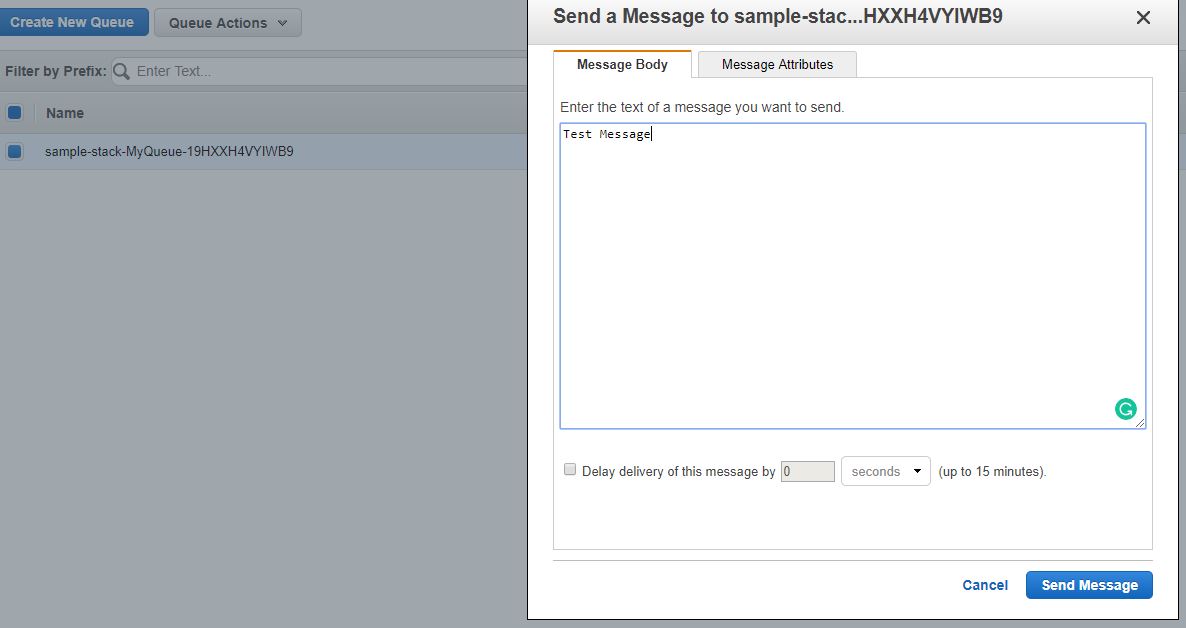 Sending a test message via the SQS Console
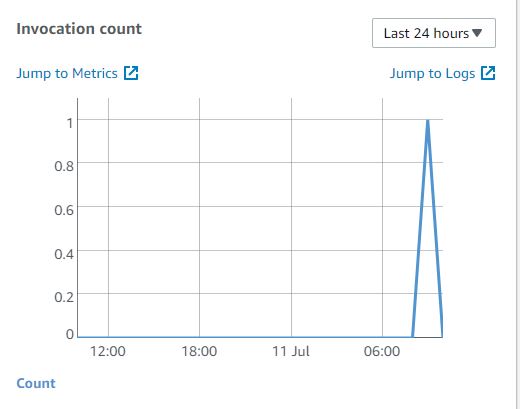 Check if the Lambda Function has been invoked