Implement S3 Bucket Lambda triggers in AWS CloudFormation
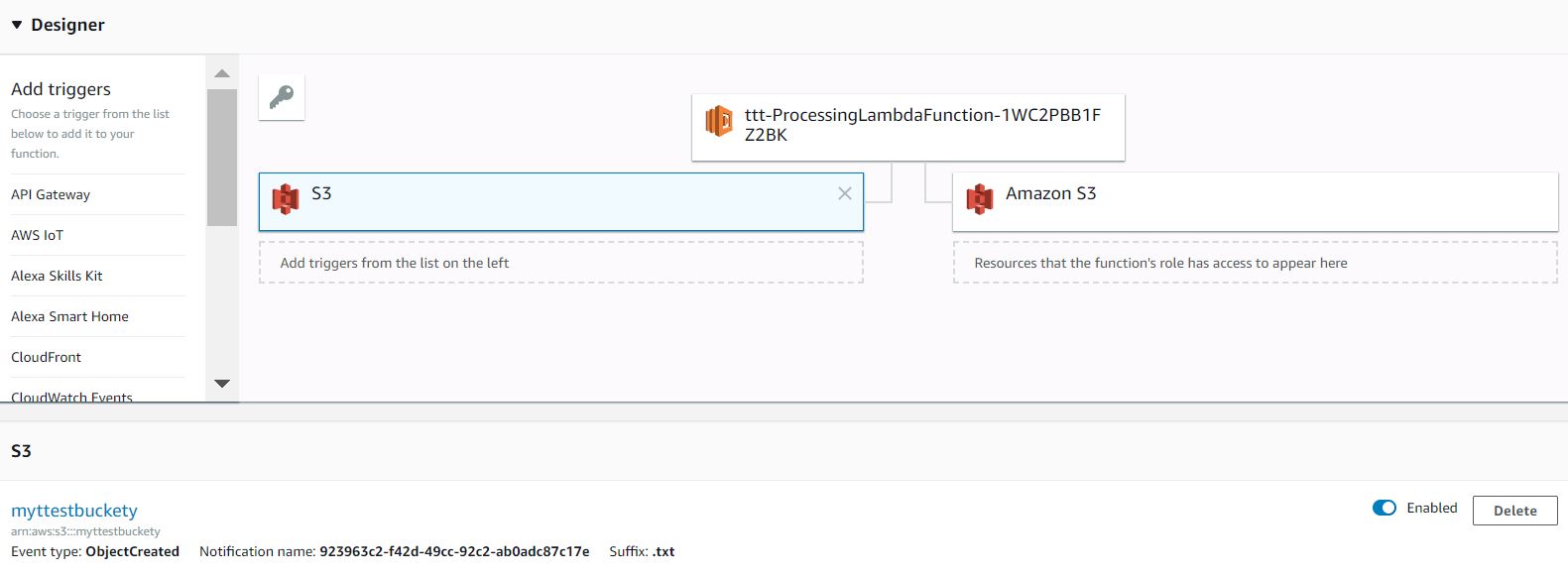
Implement S3 Bucket Lambda triggers in AWS CloudFormation can be quite tricky because of very often circular dependencies or errors like "Unable to validate the following destination configurations" occur. But if you take notice of the following, working with S3 Lambda triggers in CloudFormation will be easier.
- First, you have to specify a name for the Bucket in the CloudFormation template, this allows you to create policies and permission without worrying about circular dependencies.
- Secondly, you have to add a DependsOn statement to the Bucket referencing the Lambda Permission, this helps you to fix "Unable to validate the following destination configurations" errors since the bucket will only get created if the Lambda Function and all necessary policies, roles and permissions are in place.
Below you will find a GitHub Gist with a working example which takes care of all tips mentioned above. In this example, created *.txt files are read from a bucket and then deleted.
AWSTemplateFormatVersion : 2010-09-09
Parameters:
  BucketName:
    Type: String
Resources:
  Bucket:
    Type: AWS::S3::Bucket
    DependsOn:
      - ProcessingLambdaPermission
    Properties:
      BucketName: !Ref BucketName
      NotificationConfiguration:
        LambdaConfigurations:
          - Event: s3:ObjectCreated:*
            Function: !GetAtt ProcessingLambdaFunction.Arn
            Filter:
              S3Key:
                Rules:
                - Name: suffix
                  Value: .txt

  ProcessingLambdaPermission:
    Type: AWS::Lambda::Permission
    Properties:
      Action: 'lambda:InvokeFunction'
      FunctionName: !Ref ProcessingLambdaFunction
      Principal: s3.amazonaws.com
      SourceArn: !Sub 'arn:aws:s3:::${BucketName}'
      SourceAccount: !Ref AWS::AccountId

  ProcessingLambdaExecutionRole:
    Type: AWS::IAM::Role
    Properties:
      AssumeRolePolicyDocument:
        Version: '2012-10-17'
        Statement:
        - Effect: Allow
          Principal:
            Service:
            - lambda.amazonaws.com
          Action:
          - sts:AssumeRole
      Policies:
        - PolicyName: allowLogging
          PolicyDocument:
            Version: '2012-10-17'
            Statement:
            - Effect: Allow
              Action:
              - logs:*
              Resource: arn:aws:logs:*:*:*
        - PolicyName: getAndDeleteObjects
          PolicyDocument:
            Version: '2012-10-17'
            Statement:
            - Effect: Allow
              Action:
              - s3:GetObject
              - s3:DeleteObject
              Resource:  !Sub 'arn:aws:s3:::${BucketName}/*'

  ProcessingLambdaFunction:
    Type: AWS::Lambda::Function
    Properties:
      Code:
        ZipFile: >
          const AWS = require("aws-sdk");
          const s3 = new AWS.S3();
          exports.handler = async (event, context) =>{
            console.log(JSON.stringify(event));
            console.log(JSON.stringify(context));

            const params = {
              Bucket: event.Records[0].s3.bucket.name,
              Key: event.Records[0].s3.object.key
             };

            // get file from s3
             const data = await s3.getObject(params).promise();
             console.log(data);

            // delete file from s3 and return promise
            return await s3.deleteObject(params).promise();

          };
      Handler: index.handler
      Role: !GetAtt ProcessingLambdaExecutionRole.Arn
      Runtime: nodejs8.10
      MemorySize: 512
      Timeout: 120
Quelle: Gist auf GitHub
Read more: https://aws.amazon.com/premiumsupport/knowledge-center/unable-validate-destination-s3/